
Zone has various email servers in use based on geographic location. To get the appropriate guide for your account, please enter your email address or domain name and click the Check button.
Outgoing mail server requires authentication (username is email address, password is general or device specific).
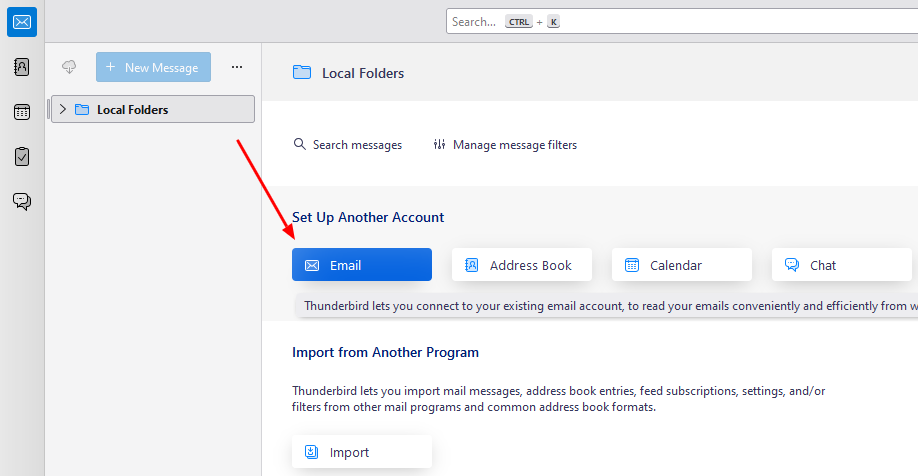
1. The first step is to select Email from the Accounts menu when opening Thundebird.
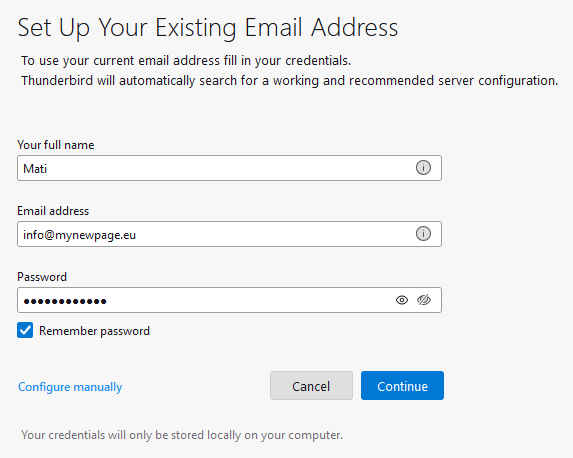
2. Next, enter your or account name in the first field, the e-mail address you are setting in the second field, and the password for the e-mail address in the last one. After entering the data, click the Continue.
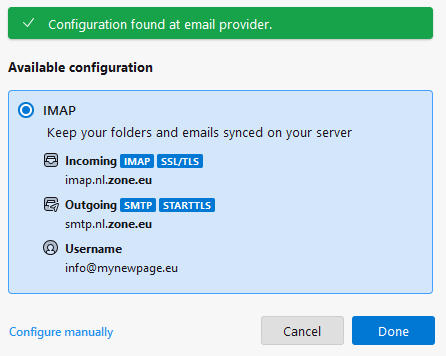
3. Now the settings configuration window opens. If all the information is correct, click the Done button and the account is ready for use.
4. If Thunderbird was unable to detect the data automatically, in the last step of the automatic setup window, click on Manual confirgation option:
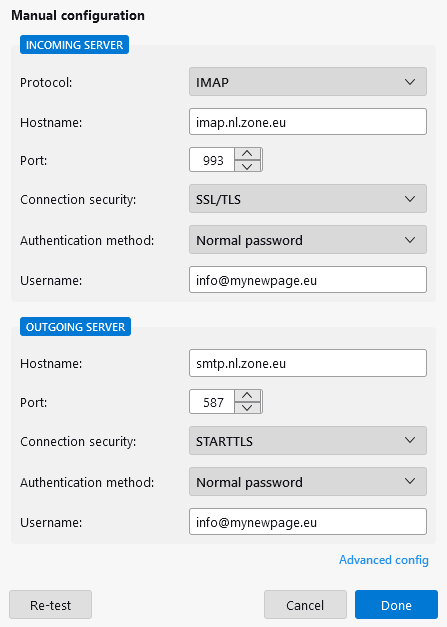
In this window, check that the account data are as follows:
Connection security: SSL/TLS or STARTTLSIncomingor IMAP server: imap.nl.zone.eu port 993Outgoingor SMTP server: smtp.nl.zone.eu port 465 or 587
Outgoing mail server requires authentication (username is email address, password is general or device specific).